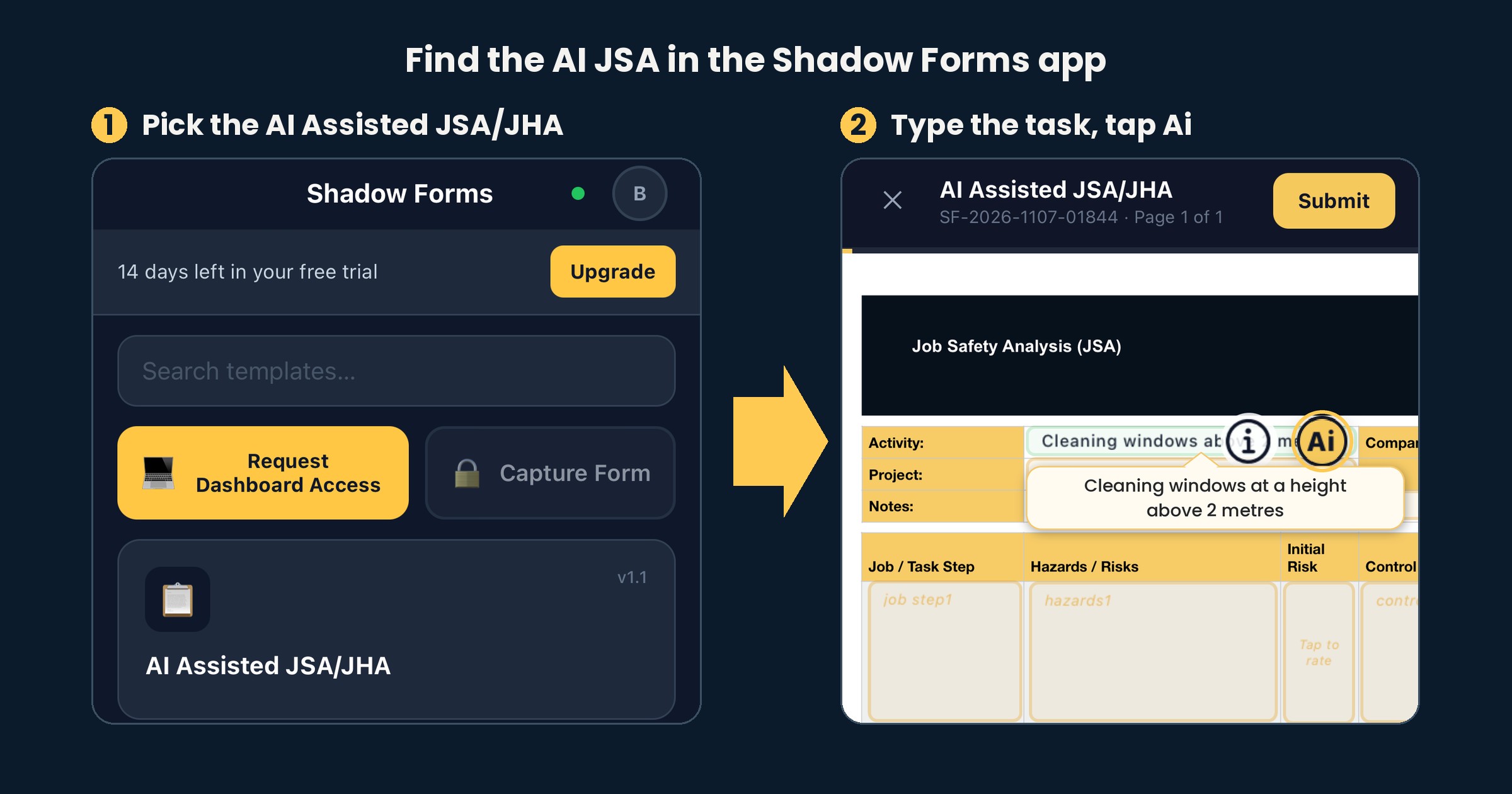
It's the first job of the day and nobody has filled in the JSA yet. In the Shadow Forms app, type the task you're about to start and the Ai drafts the JSA from it.
1. Pick the template
Open the app and tap Ai Assisted JSA/JHA from the templates.
2. Type the task you're about to start
Type the task into the Activity field, like "Cleaning windows at a height above 2 metres", then tap Ai.
3. Stuck for words? Tap the info button
The i button explains what to type and shows example inputs, like installing a new electrical panel in a residential building.
4. Read through the draft
The Ai fills in the job steps, hazards, initial risk ratings and control measures. Go down each row and change anything that doesn't fit your job or site, whether that's rewording a step, adding one or editing a control.
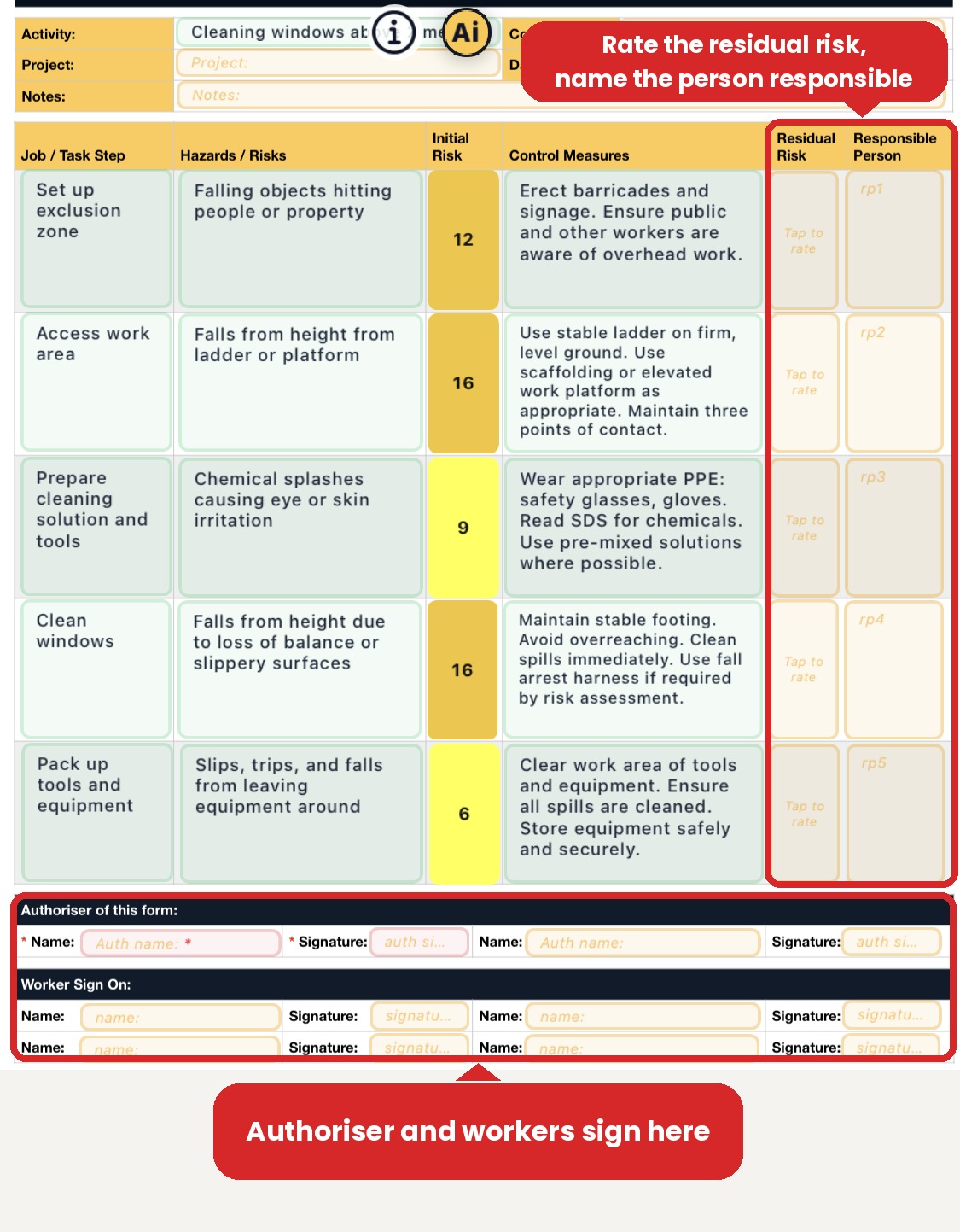
5. Rate the residual risk and name a person
For each task step, set the residual risk once the controls are in place. Where it's needed, name the person responsible for that step.
6. Sign on at the bottom
The authoriser and the workers sign on at the bottom of the form, all in the app.
Try it free
The Ai JSA is built into the app and included in the 14-day free trial, with full access and no card needed.
Not sure how a JSA differs from a SWMS? Here's the comparison. Want a blank one to look at first? There's a free JSA template, and more on how the Ai JSA works for the trades.
We build forms software, not safety advice. For your own site and your own job, check with your state regulator or someone qualified.
Try it free for 14 days, no card required, and we'll set it up with you.