A Safe Work Method Statement (SWMS) sets out the high risk work you are about to do, the hazards, and how you will control them. Download the free template below, or read on for a filled-in working at heights example.
Not sure whether your job needs a SWMS? Read what a SWMS is and when it's required.
Example only, not for use as your own SWMS. This is the free template filled in for a gutter and fascia replacement on a single-storey house, a common working at heights job. Click a page to enlarge it.
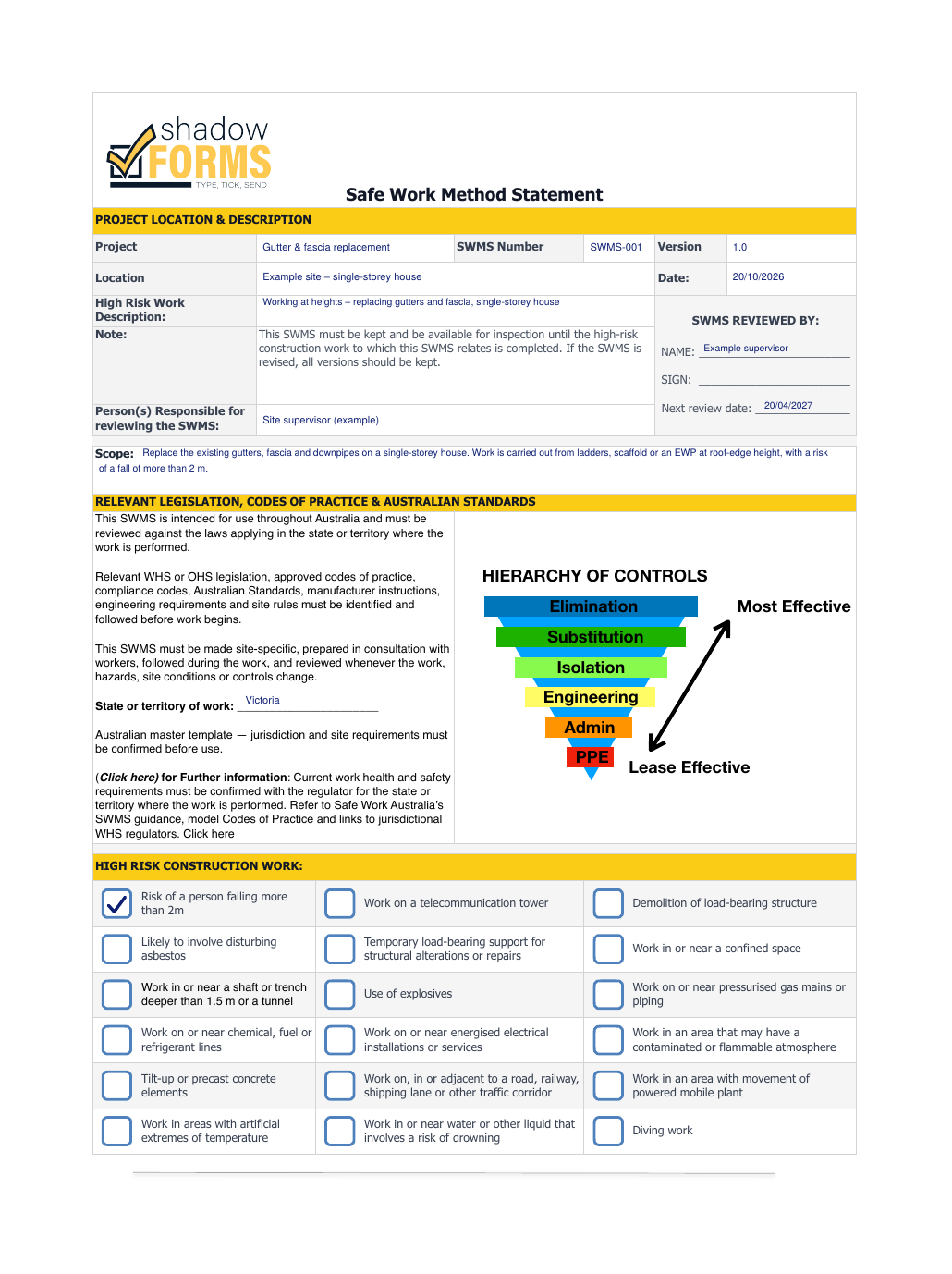
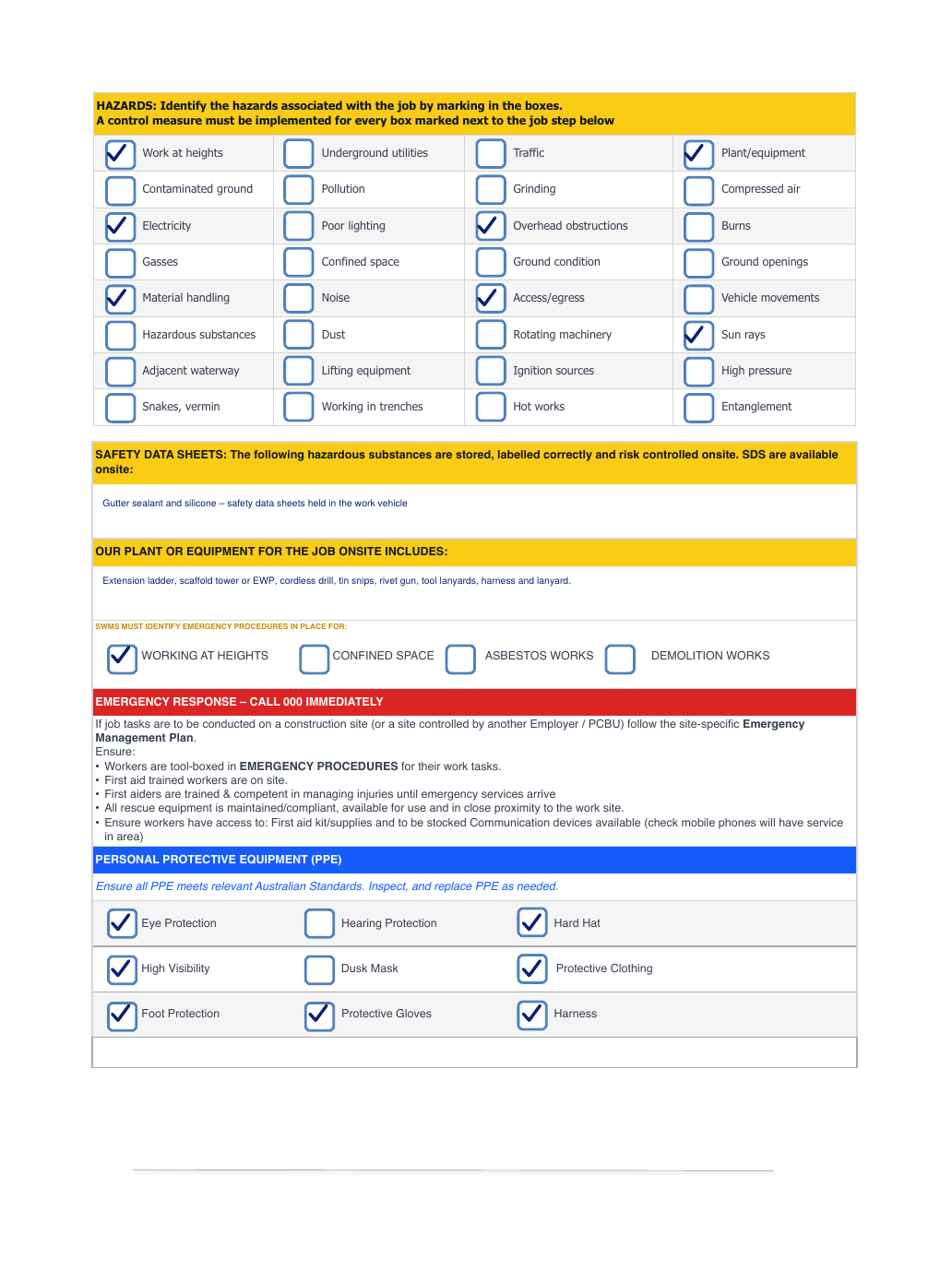
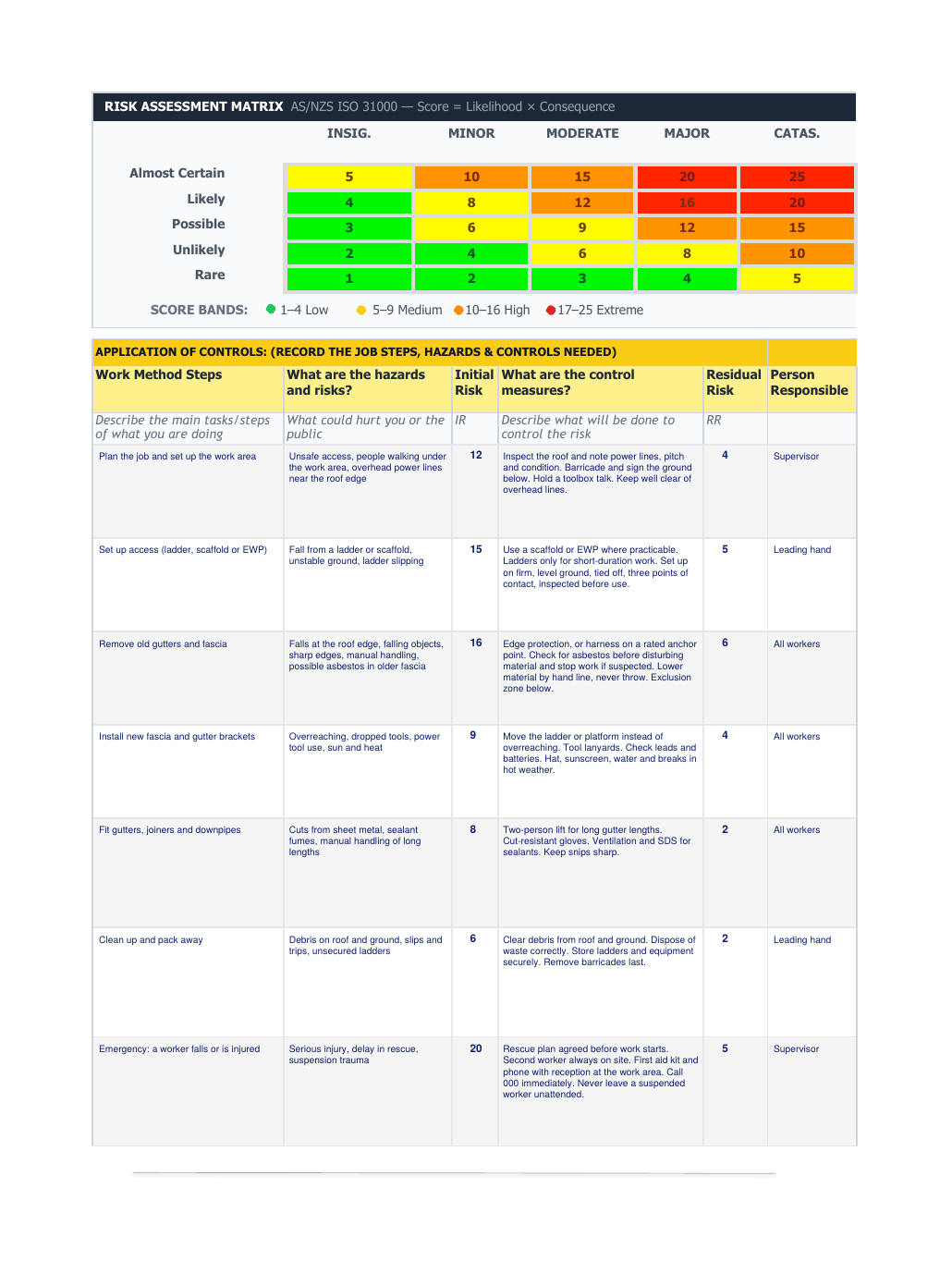
Your own SWMS must be specific to your job and site, and prepared in consultation with the workers doing the work.
The Shadow Forms SWMS builder is a tool on our website that guides you step by step through creating a SWMS for your job. Enter your email address and you can download it as a PDF.
The PDF is a copy only. To complete it digitally, upload it and we can add it to the app, Shadow Forms branded. If you have your own uniquely branded SWMS, or want this example adjusted to your business, we can do that too. Upload a form, or get in touch.
Need a JSA instead? Try the free JSA template.
Safe Work Australia says a SWMS is required for high risk construction work under the WHS Regulations. Requirements differ between states and territories, so check your regulator.
Safe Work Australia treats a JSA as generally different from a SWMS. A SWMS is required for high risk construction work, while a JSA is a safety analysis many businesses use for everyday tasks.
Yes, as a starting point. A SWMS must be made specific to the actual job and site, and prepared in consultation with workers, before work starts.
No. The template works on paper. A digital form saves retyping and keeps every signed SWMS in one place.
Yes. Upload it on our Upload a form page and we can add your SWMS to the app. A SWMS from the builder would be Shadow Forms branded. If you have your own branded SWMS, or want this example adjusted to your business, get in touch.
General information only, not legal advice. Check your state or territory regulator.
Use our SWMS builder, or send us your own SWMS and we'll show you exactly how it would work in the app, no obligation.
Questions? Email us at info@neonroom.com.au