A Job Safety Analysis (JSA), also called a Job Hazard Analysis (JHA), splits a job into stages, spots the hazard in each one, and sets a control for it. Download the free template below, or read on for a filled-in example and how to complete one.
Not sure whether your job needs a SWMS? Read what a SWMS is and when it's required.
Example only, not for use as your own JSA. This is the free template filled in for a gutter replacement on a single-storey house. Click the image to enlarge it.
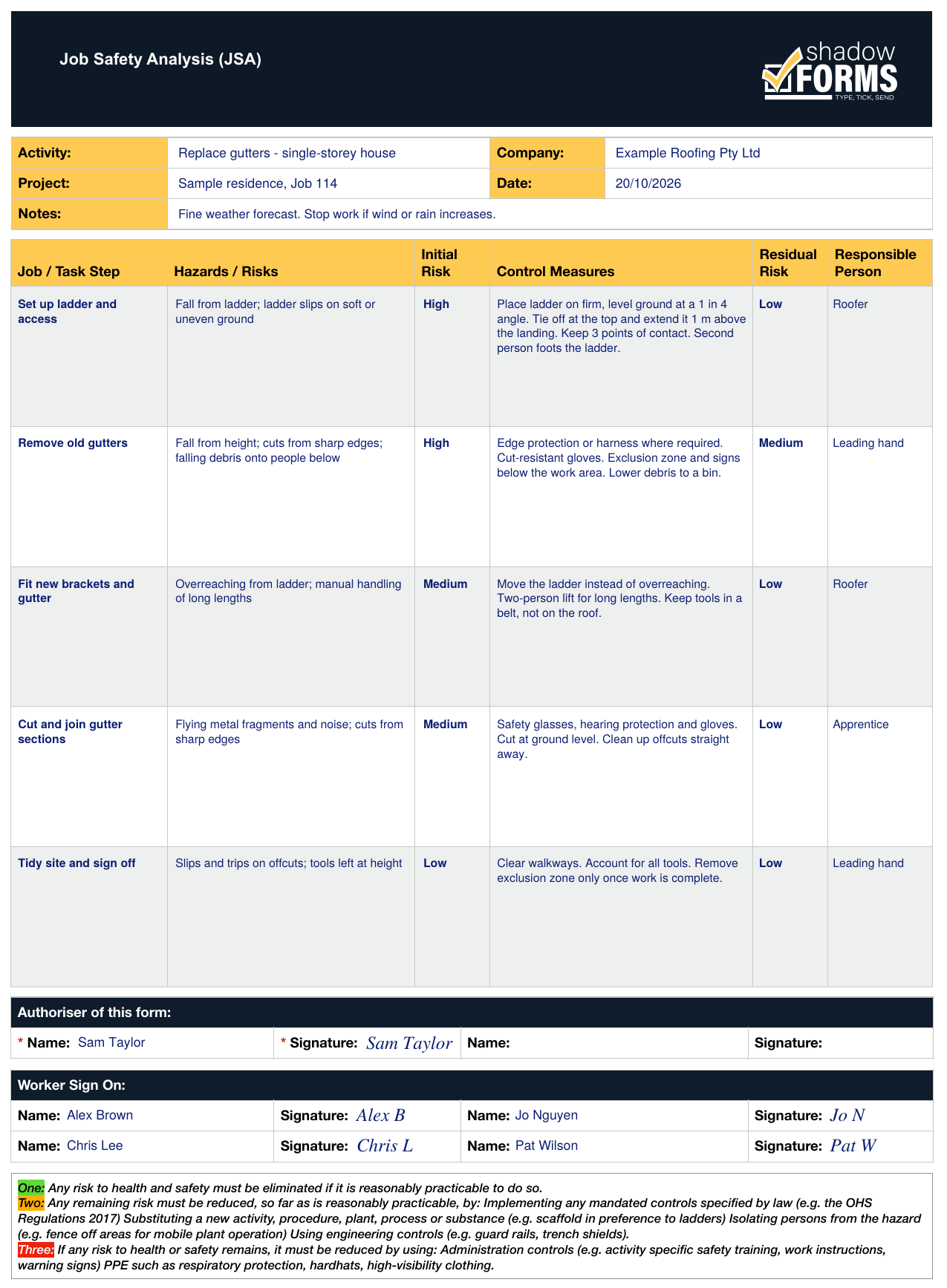
Your own JSA should reflect the actual job and site conditions, with the risk ratings and controls reviewed by the people doing the work.
Inside the Shadow Forms app, the AI JSA tool drafts the bulk of a JSA from a description of the job. You then review it, add or adjust the residual risk ratings and control measures, and sign and date it before starting the task. Speed depends on your connection and device.
Forms also work offline, every completed one lands on your dashboard, and any form can be duplicated as a starting point for the next job. See the app, or read about the AI-powered JSA for skilled trades.
Need a SWMS instead? Get the free SWMS template.
WorkSafe Victoria says JSAs aren't required by legislation. A SWMS is required for high risk construction work, and many businesses also use a JSA.
Safe Work Australia treats a JSA as generally different from a SWMS, which is required under the WHS Regulations for high risk construction work.
Yes, as a starting point. Fill it in for the actual job and site before anyone signs it.
No. The template works on paper. An app saves retyping and keeps every signed JSA in one place.
Nearly. A JSEA (job safety and environmental analysis) works like a JSA but also covers environmental impacts such as spills, waste and runoff. A JHA (job hazard analysis) is the US name for a JSA. Check what your site or client asks for.
General information only, not legal advice. Check your state or territory regulator.
Send us your forms and we'll show you exactly how they'd work, no obligation.
Questions? Email us at info@neonroom.com.au