Last reviewed: November 2026
Want to fill this in on your phone? We can add it to the app.
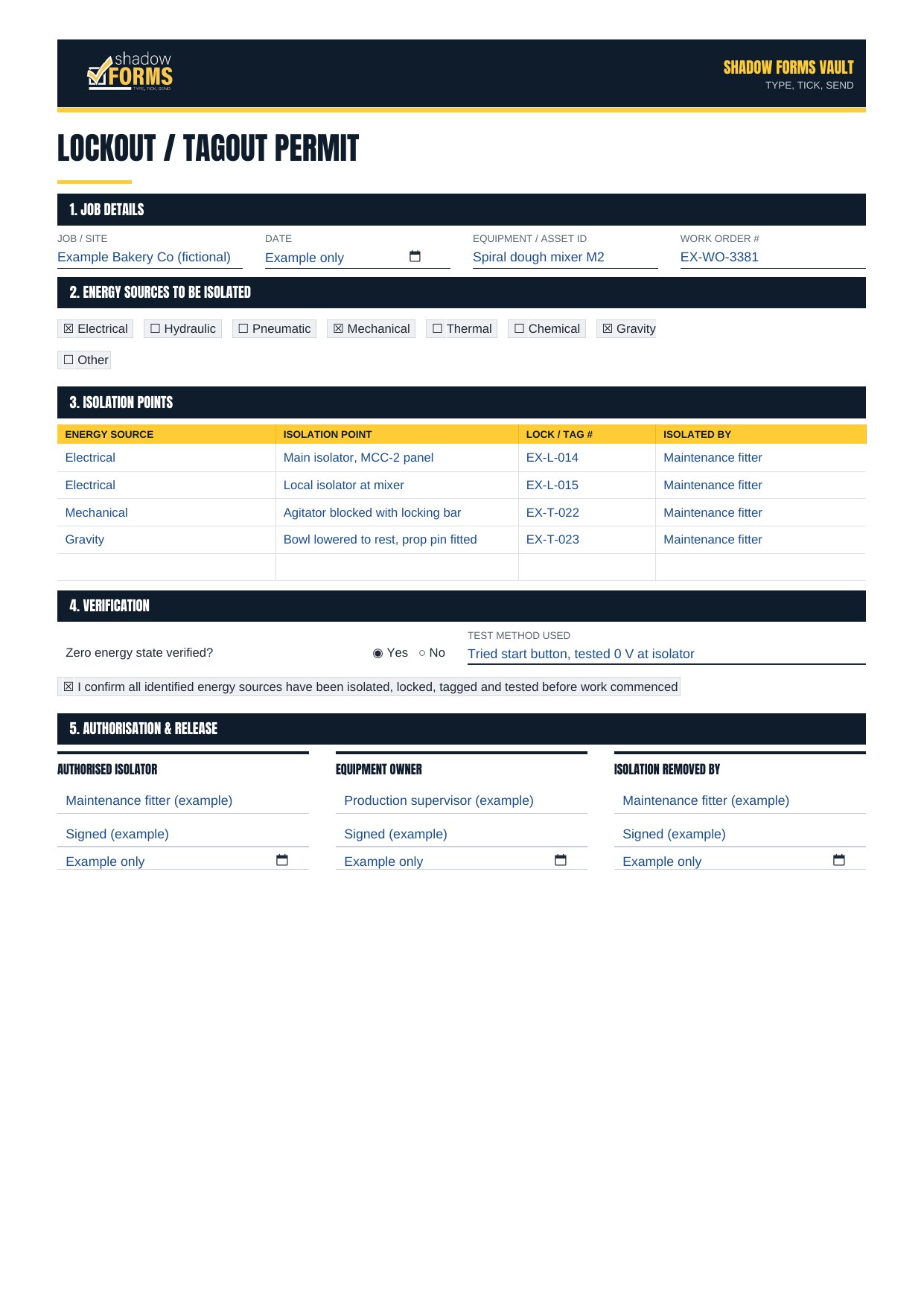
Upload a form →A lockout tagout (LOTO) permit records how plant was isolated before maintenance or cleaning: the energy sources, the isolation points, the locks and tags fitted, the zero energy test, and who removed the isolation afterwards. Our free LOTO permit template is a base template you fill in for your own site. Below is an example of it filled in for a fictional dough mixer isolation at a bakery. Download the blank template here:
Isolating plant as part of a bigger job? Use a permit to work as well.
Every state expects plant to be isolated before maintenance or cleaning, but the guidance comes from different regulators. We're not a regulator, so check yours:
New South Wales: personal locks, danger tags and stored energy are covered in SafeWork NSW's energy isolation guidelines
Victoria: Victoria has its own OHS laws. See WorkSafe Victoria's isolate, de-energise, lockout and tagout guidance
Western Australia: see WorkSafe WA's isolation of plant guidance note
Queensland: WorkSafe Queensland
South Australia: SafeWork SA
Tasmania: WorkSafe Tasmania
Northern Territory: NT WorkSafe
Australian Capital Territory: WorkSafe ACT
For electrical isolation on low-voltage installations, electricians work to AS/NZS 4836:2023
Every machine is different, but these are hazards that often get missed when plant is isolated, with the kind of control the permit should show for each:
A second energy source nobody listed, such as air, hydraulics, a backup supply or a separate control circuit: walk the plant and check the drawings before isolating.
Stored energy after the power is off, such as springs, pressure, flywheels or raised parts: bleed, block or lower it, and record how.
Gravity: raised beds, rams or loads dropping when hydraulics are released. Prop or chock them mechanically.
An isolator that shows off but hasn't opened, because contacts can weld together: test for zero energy, don't trust the switch position.
Using an e-stop or a PLC as the isolation point: e-stops and standard control systems aren't isolation devices.
Someone else restarting the plant: every person working on it fits their own lock and danger tag.
Shift change with locks still on: hand over in person and record it on the permit.
Guards or tools left off or inside when the plant is restarted: check the area and the guards before removing the isolation.
Before work starts, check the permit doesn't have these gaps. Your site's isolation procedure may ask for more:
Only the main electrical isolator is listed, with no other energy sources or stored energy.
Isolation points are listed without lock or tag numbers, or without who fitted them.
The zero energy test is ticked but doesn't say how it was done.
One lock is shown for the whole crew instead of one per person.
Nobody signed when the isolation was removed and the plant was handed back.
Example only, not for use as your own permit. This is the base template filled in for a fictional job: isolating a spiral dough mixer for maintenance, with four isolation points. Click the page to enlarge it.
Your own permit must list every energy source and isolation point on your actual plant. Follow the manufacturer's instructions and your site's isolation procedure.
This form is in the Shadow Forms app. Your team can fill it in on site, add photos and sign it, then send it straight to the office.
The PDF and Word versions are copies only. If you have your own branded version, or want this one adjusted to your business, we can add it to the app. Upload a form, or get in touch.
Need a permit for the whole job? Get the free permit to work template.
Working inside a tank or vessel? Get the free confined space entry permit template.
Safe Work Australia's plant code explains how to control the risks of plant, including isolating it before maintenance or cleaning. No law requires this exact form, so check your regulator for what's expected.
SafeWork NSW says locks and danger tags should only be removed by the person who fitted them, except in set cases, such as when that person can't be found. Have a documented procedure for those cases, as the guidelines set out.
A lock physically stops the isolation point being switched back on. A tag warns people not to operate it. A tag on its own isn't an isolation.
Safe Work Australia's plant code says to try to restart the plant without putting anyone at risk, but a failed restart doesn't prove all stored energy has gone. Release pressure and block moving parts too.
Yes. It's already in the Shadow Forms app. If you have your own branded version, or want this one adjusted to your business, upload it on our Upload a form page or get in touch.
General information only, not legal advice. Check your state or territory regulator.
Send us your own forms and we'll show you exactly how they'd work in the app, no obligation.
Questions? Email us at info@neonroom.com.au