Want to build your own task-specific version? Try the free SWMS builder.
SWMS builder →Construction work in an area with powered mobile plant is high risk construction work, so a Safe Work Method Statement is needed before it starts. Our free SWMS template is a base template you fill in for your own job. Below, it's filled in for a scissor lift and telehandler job, with the hazards to cover and the controls to think about. Download the blank template here:
Not sure whether your job needs a SWMS? Read what a SWMS is and when it's required.
Need to record an incident instead? Get the free incident report template.
Example only, not for use as your own SWMS. This is the base template filled in for a fictional job: installing cable trays from a scissor lift while a telehandler moves materials in the same warehouse. Click a page to enlarge it.
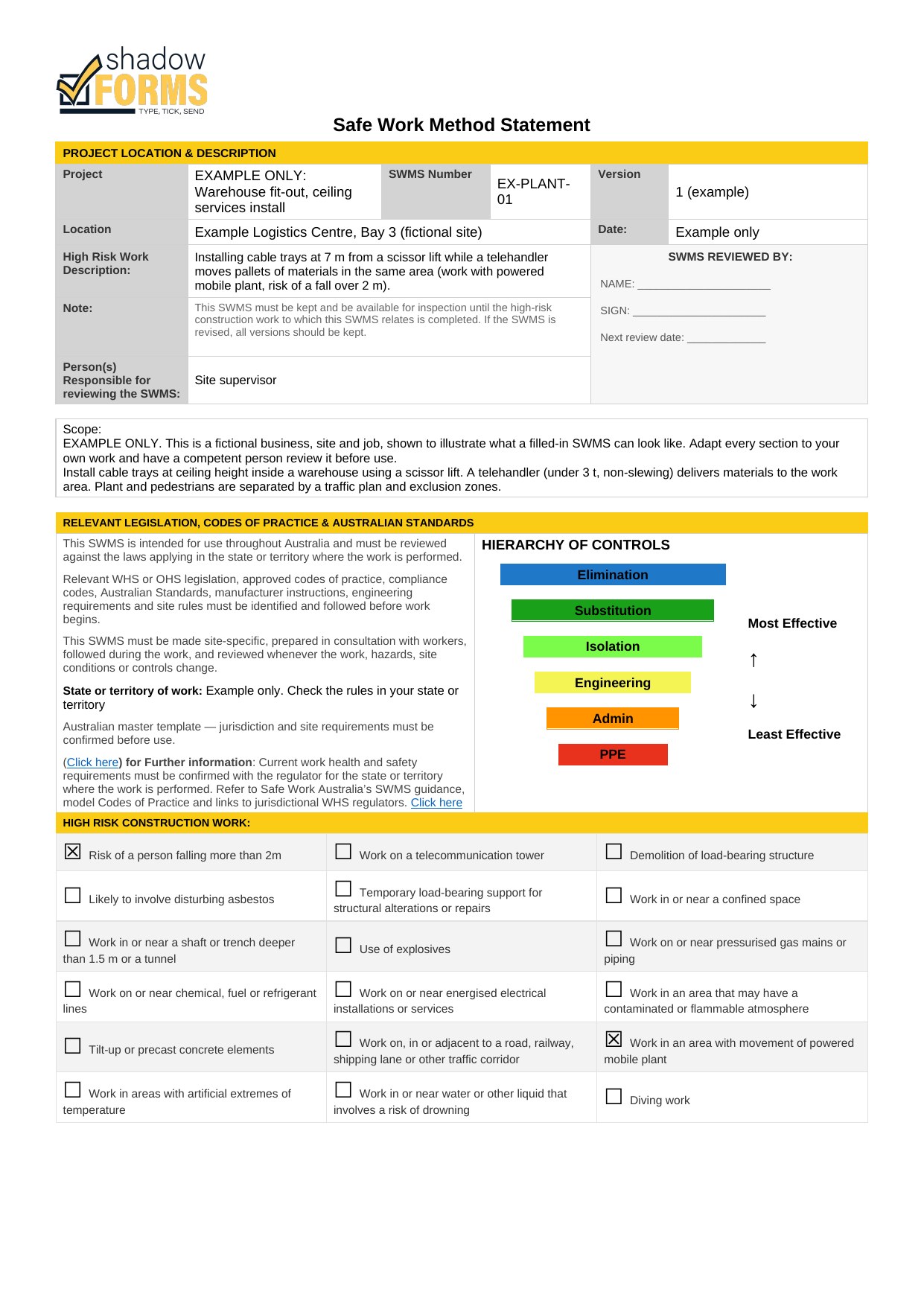
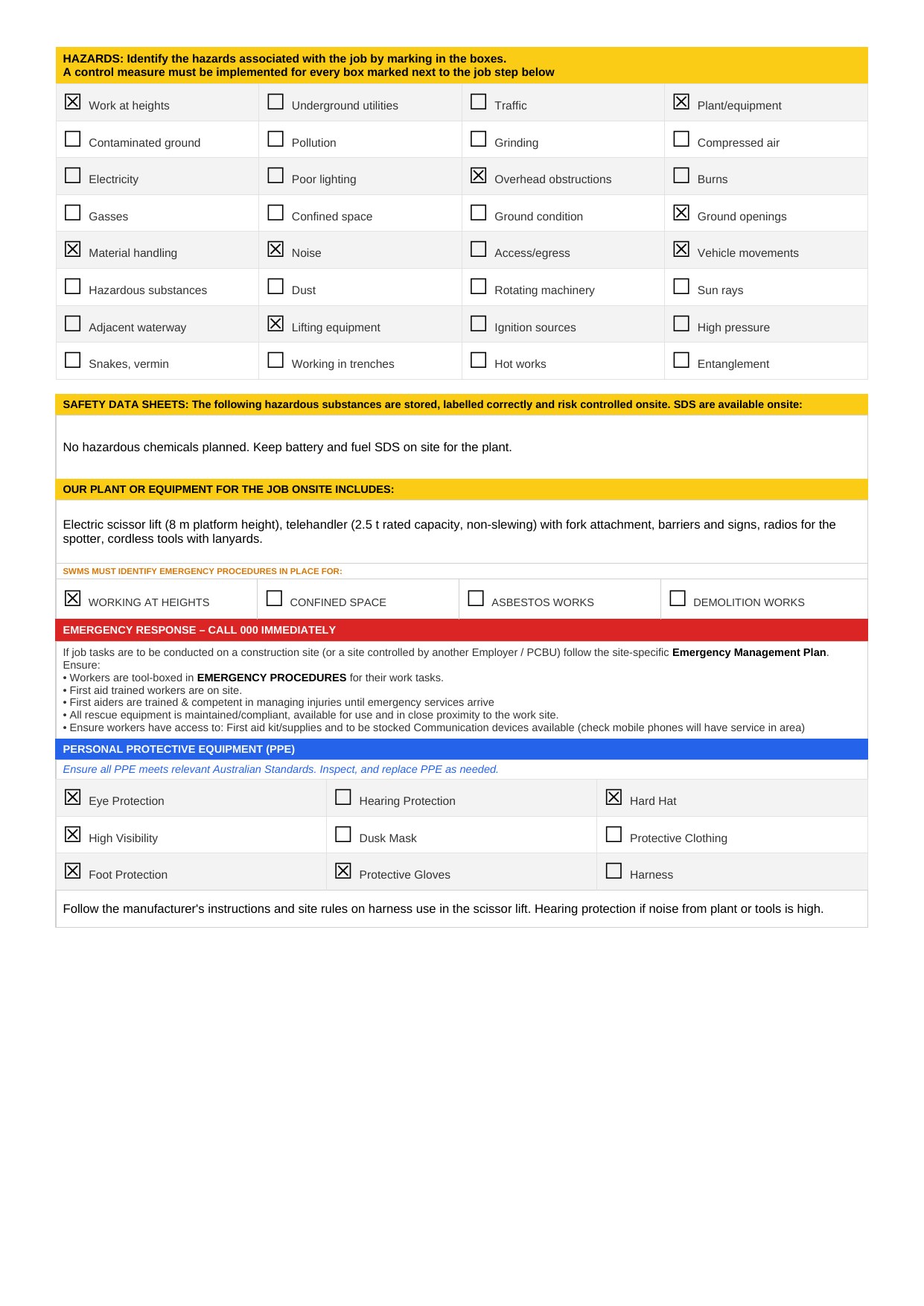
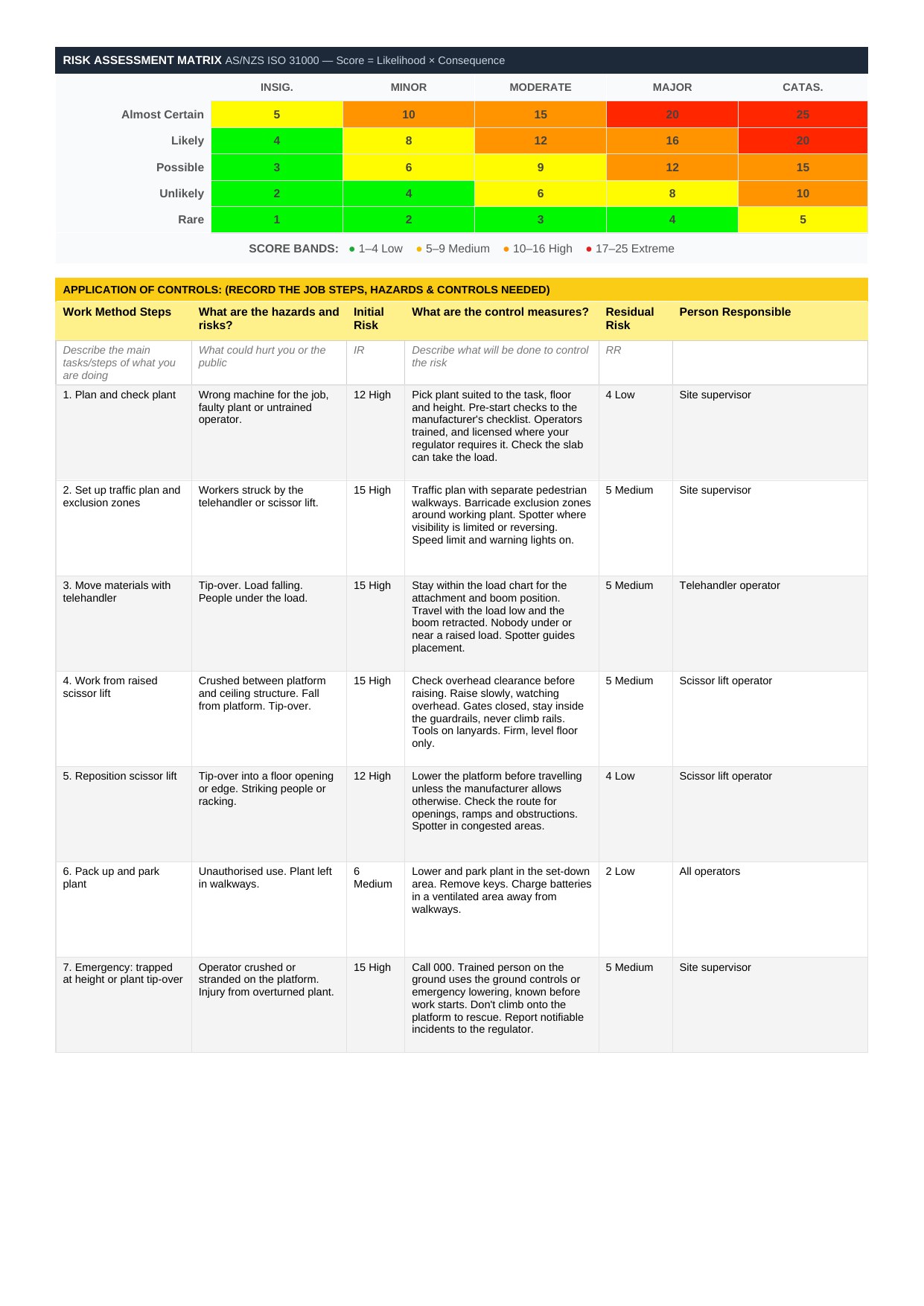
This example includes risk scores. They aren't legally required, and WorkSafe Victoria advises leaving risk matrices and scores out of a SWMS, so check what your regulator expects. Your own SWMS must be specific to your job and site, and prepared in consultation with the workers doing the work.
The Shadow Forms SWMS builder is a tool on our website that guides you step by step through creating a SWMS for your job, including work with mobile plant. It's a draft only, so have a competent person review it before use. Enter your email address and you can download it as a PDF.
The PDF is a copy only. To complete it digitally, upload it and we can add it to the app, Shadow Forms branded. If you have your own uniquely branded SWMS, or want this example adjusted to your business, we can do that too. Upload a form, or get in touch.
Need a JSA instead? Try the free JSA template.
Just need a quick check before you start? Get the free Take 5 template.
Safe Work Australia lists construction work in an area with powered mobile plant as high risk construction work, so a SWMS must be prepared before it starts. Check your regulator if you're not sure your job counts as construction work.
Safe Work Australia says scissor lift operators must be trained, and a high risk work licence is needed for boom-type platforms of 11 metres or more. For telehandlers it depends on the machine and your state: WorkSafe Victoria, for example, requires a licence for non-slewing telehandlers over 3 tonnes. Check with your regulator.
Only as a starting point. It must match the actual plant, site and tasks, and be prepared in consultation with workers. WorkSafe Victoria, for example, says a generic or AI-generated SWMS should be reviewed on site and anything not relevant removed.
Safe Work Australia names crushing, overturning and collision. Your SWMS should set out the controls for each, such as checking overhead clearance, staying inside the guardrails and only using the lift on firm, level ground.
Yes. Upload it on our Upload a form page and we can add it to the app, along with your plant pre-start checklists. A SWMS from the builder would be Shadow Forms branded. If you have your own branded SWMS, get in touch.
General information only, not legal advice. Check your state or territory regulator.
Use our SWMS builder, or send us your own SWMS and we'll show you exactly how it would work in the app, no obligation.
Questions? Email us at info@neonroom.com.au